




Drummers & Percussionists
Isolated drum kit & drumless tracks
Solo complex drum fills to transcribe them by ear, or remix in Pro Studio with the Drums lane muted.
Extract clean Vocals, Drums, Bass, and Melodic instrument tracks from any song or video right on your device—ideal for drumless practice, remixes, and karaoke with zero daily limits.
Or drag & drop an audio or video file right here
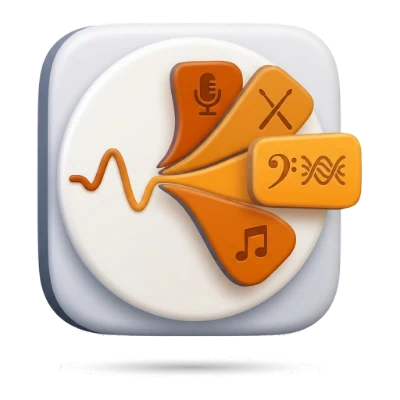
Drop any stereo song or music video—our 4-stem neural separator automatically splits the recording into four phase-coherent studio tracks (Vocals, Drums, Bass, and Melodic Other) right inside your browser, ready to preview live on the waveform or download individually and as a .ZIP.
Solo complex drum fills to transcribe them by ear, or remix in Pro Studio with the Drums lane muted.
Hear exact basslines and sub-synth notes clearly separated from kick drums and guitars.
Download all four stems at once in 320 kbps MP3, WAV, or lossless FLAC with zero daily limits.
Separates stereo mixes into phase-coherent Vocals, Drums, Bass, and Other stems that sum cleanly without warble.
Evaluates dedicated Vocals, Drums, Bass, and Other neural spectrograms and applies a normalized 4-way power ratio mask.
Press B anytime during playback to crossfade in 15 ms between dry original and processed audio.
Auditioning changes in real time eliminates guesswork—you hear your exact EQ, reverb, or speed tweak before rendering a single export file.
Move your active or processed audio straight into another i2Sound studio tool in one click.
Your active audio stays cached locally in your browser's IndexedDB so you can Trim, Equalize, and add Slowed + Reverb in sequence without re-uploading.
Export finished audio as 320/192/128 kbps MP3, 16/24/32-bit PCM WAV, or lossless FLAC.
Choose compact CBR MP3 for instant sharing, 24-bit or 32-bit Float WAV for DAW mastering, or CRC-verified 16-bit FLAC for lossless archiving.
Processes multi-hour recordings directly in your browser with zero daily quotas, watermarks, or sign-up walls.
100% client-side Web Audio & WebAssembly processing—your files and microphone recordings never leave your device.
A few answers before you get started.
On your deviceVocal Remover is optimized for fast 2-track separation (Vocals + Instrumental), whereas 4-Stem Splitter runs four dedicated neural models to isolate Vocals, Drums, Bass, and Other instruments separately.
Open Pro Studio (/studio), select Voice → AI 4-Stem Splitter → Split into All 4 Lanes, click M (Mute) on the Drums or Bass lane, and click Export Mixdown.
Yes—click Download All 4 Stems (.ZIP) below the stem cards to package Vocals, Drums, Bass, and Other into a single archive.