




Podcasters
Stitch intro, interview & outro
Combine theme music, host narration, and sponsor reads with automatic loudness matching and clean chapter spacing.
Drop multiple audio clips, reorder them in one click, blend transitions with smooth equal-power crossfades or chapter gaps, and export one unified MP3, WAV, or FLAC.
Or drag & drop an audio or video file right here
Drop two or twenty audio clips in any format, reorder them with one-click arrows, blend transitions with equal-power DJ crossfades or clean chapter pauses, and auto-balance volume across every clip.
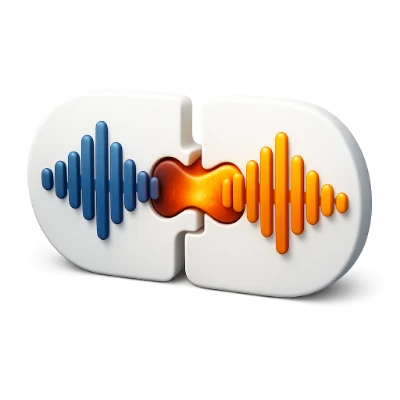
Combine theme music, host narration, and sponsor reads with automatic loudness matching and clean chapter spacing.
Overlap song endings and intros by 0.6–2.0 seconds using cosine/sine equal-power crossfades with zero volume dips.
Merge scattered M4A, WAV, and MP3 takes into a single shareable file privately in your browser.
Reorders, resamples, loudness-matches, and crossfades unlimited clips on one stereo timeline.
Choose overlap crossfades up to 3 seconds for music medleys or exact millisecond chapter gaps for spoken segments.
Scans peak and RMS loudness on load so you can normalize to broadcast and streaming levels in one click.
Choose −0.2 dBFS Peak for maximum sample headroom, −14 LUFS for Spotify/YouTube music & video, or −16 LUFS for spoken-word podcasts.
Move your active or processed audio straight into another i2Sound studio tool in one click.
Your active audio stays cached locally in your browser's IndexedDB so you can Trim, Equalize, and add Slowed + Reverb in sequence without re-uploading.
Export finished audio as 320/192/128 kbps MP3, 16/24/32-bit PCM WAV, or lossless FLAC.
Choose compact CBR MP3 for instant sharing, 24-bit or 32-bit Float WAV for DAW mastering, or CRC-verified 16-bit FLAC for lossless archiving.
Processes multi-hour recordings directly in your browser with zero daily quotas, watermarks, or sign-up walls.
100% client-side Web Audio & WebAssembly processing—your files and microphone recordings never leave your device.
A few answers before you get started.
On your deviceYes. i2Sound automatically resamples and channel-matches every clip to a unified stereo studio timeline before crossfading and encoding your merged output.
Each clip's average RMS loudness is measured independently and scaled toward a consistent −15 LUFS reference target before stitching.
Use a 500–1,500 ms Crossfade Overlap for continuous music mixes, and a 300–600 ms Silence Gap when joining distinct podcast chapters or voice memos.