





Educators & Language Study
Auto-split vocabulary on pauses
Use On Silence mode to slice flashcard words or spoken sentences automatically at every silent gap.
Split long MP3, WAV, or M4A recordings into equal parts, fixed durations, silence-separated takes, or custom waveform markers and download all slices in one .ZIP.
Or drag & drop an audio or video file right here
Turn multi-hour podcasts, albums, or language lessons into numbered audio files automatically—previewing every Part marker right on the Retina waveform before downloading individual clips or a single .ZIP archive.
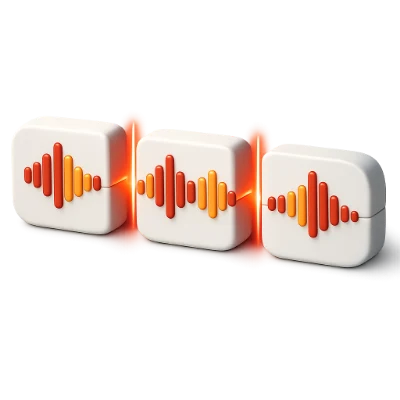
Use On Silence mode to slice flashcard words or spoken sentences automatically at every silent gap.
Divide long commentary into fixed 30-second or 60-second sequential clips packed neatly in one .ZIP.
Drop markers between songs in a continuous live recording and export numbered 320 kbps MP3 or lossless FLAC tracks.
Packs split chapters or batch-converted audio files into a standard CRC-32 .ZIP archive on your device.
Avoids browser pop-up blockers and 20 separate save dialogs when exporting multi-part recordings.
Flags silent intervals visually on the waveform and splices speech with breath padding and 10 ms crossfades.
Adjust threshold dB, minimum pause duration, and natural breath padding with immediate visual feedback.
Move your active or processed audio straight into another i2Sound studio tool in one click.
Your active audio stays cached locally in your browser's IndexedDB so you can Trim, Equalize, and add Slowed + Reverb in sequence without re-uploading.
Export finished audio as 320/192/128 kbps MP3, 16/24/32-bit PCM WAV, or lossless FLAC.
Choose compact CBR MP3 for instant sharing, 24-bit or 32-bit Float WAV for DAW mastering, or CRC-verified 16-bit FLAC for lossless archiving.
Processes multi-hour recordings directly in your browser with zero daily quotas, watermarks, or sign-up walls.
100% client-side Web Audio & WebAssembly processing—your files and microphone recordings never leave your device.
A few answers before you get started.
On your deviceYou can download any individual slice using its Download Part button, or click Export Audio to download all numbered parts bundled inside a single .ZIP file generated locally in your browser.
Select Custom under Split Method, then hold Shift and click anywhere along the Retina waveform to drop numbered Part markers.
When exporting to 16/24-bit WAV or lossless FLAC, every sliced segment preserves 100% bit-exact uncompressed sample fidelity.