
Open Frequency Sweep & Chirp Generator whenever you need fast, studio-accurate results directly in your browser without uploading private files. Sweep smoothly across the entire human hearing spectrum using exponential (equal time per musical octave) or linear frequency ramps—ideal for locating room resonances, cabinet buzzes, and subwoofer port chuffing.
Select preset or reference signal
Open Frequency Sweep & Chirp Generator—because synthesis runs directly on your browser's hardware-clocked Web Audio stream, the glowing 60fps oscilloscope stage opens immediately with no file upload required.
Start from a calibrated preset pill such as Start Frequency and set your speaker or headphone volume to a comfortable level before clicking Play Tone (or pressing Spacebar).
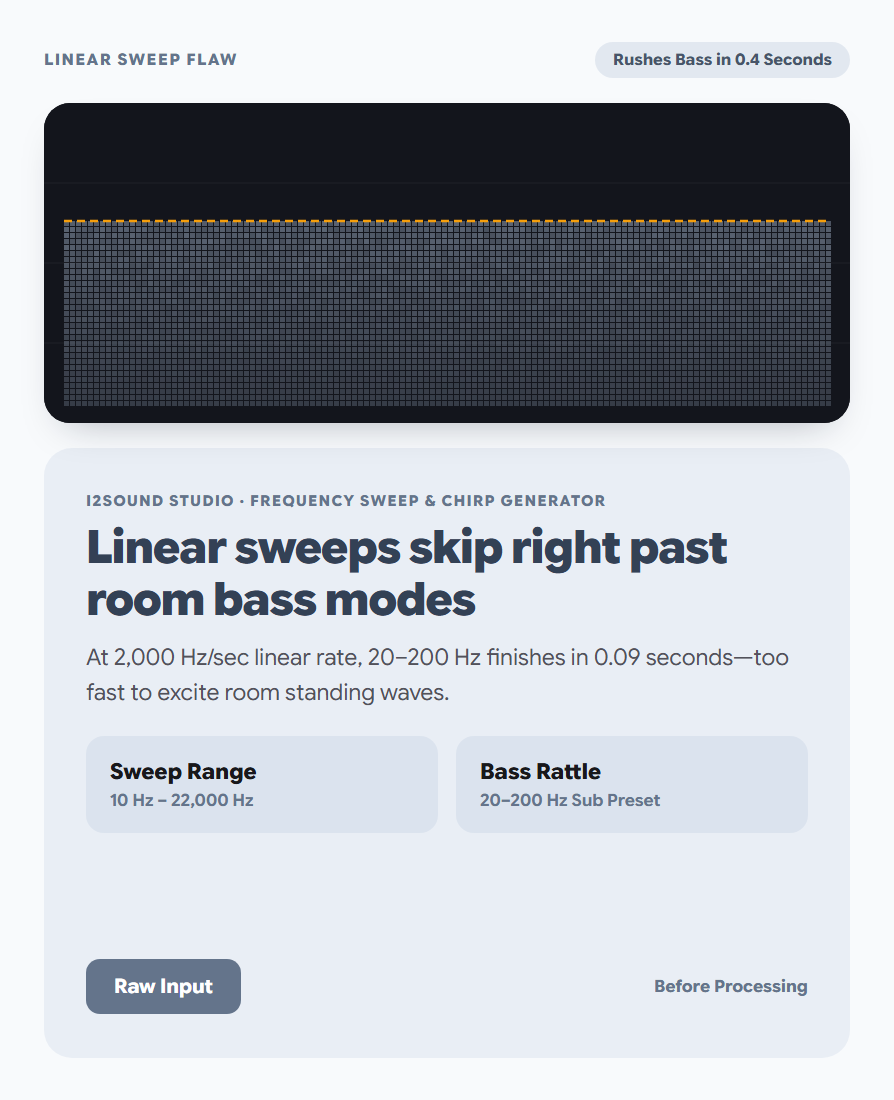
Studio tip: Use Logarithmic (Equal Octaves) for acoustic speaker and room checks—Linear sweeps rush through all bass octaves in the first half-second!
Dial Start Frequency & audition live
Adjust Start Frequency and End Frequency alongside Sweep Duration in the studio control dock. Hold Shift while dragging any rotary dial for fine precision, or double-click any control to snap back to its calibrated default.
Watch the phase-locked oscilloscope and Harmonics FFT respond at 60 frames per second to verify overtone balance and stereo routing.
Find room standing waves & buzzes
Run the 20–200 Hz Subwoofer & Room Rattle preset to hear exact desk or drywall resonance frequencies.
3s IR deconvolution chirps
Export clean 48 kHz 24-bit WAV exponential sine sweeps for room impulse measurement.
Cinematic 808 sub drops
Render clean 180 Hz → 28 Hz sub-bass impact drops for trailers and transitions.
Verify levels and export cleanly
Confirm headroom on the stereo output meter so peaks remain safely below 0.0 dBFS. Select your target format—such as MP3 · 320 kbps, WAV · 24-bit Studio, or FLAC · 16-bit Lossless—and click Export Audio.
Need multi-step mastering or multi-track stem layering afterward? Click Continue in (or Pro Studio in the upper module bar) to pass your processed audio straight to the next studio tool without re-uploading.
Verified Studio Recipe — Frequency Sweep & Chirp Generator
Input Support : Start Hz, End Hz, Duration (1–60s) & Log/Linear Curve
Key Controls  : Start Frequency  |  End Frequency  |  Sweep Duration  |  Sweep Law  |  Logarithmic (Equal Octaves)
Before -> Now : Rushes Bass in 0.4 Seconds  -->  Equal Time Across 10 Octaves
Output Export : Real-Time Chirp Stream + 48 kHz WAV, FLAC, or MP3 (100% Client-Side Browser DSP)Common questions
Why does Logarithmic sweep sound much smoother than Linear?
Human pitch perception is logarithmic (each octave doubles Hz: 20→40→80→160 Hz). An exponential sweep spends equal time in every octave from deep bass to air.
How do I check if my desk or car door panels rattle at a specific bass note?
Run the 20 Hz → 200 Hz Subwoofer & Room Rattle preset at moderate volume—any loose panel or port will buzz audibly as the sweep crosses its resonant frequency.
Can I sweep downward from high to low instead?
Yes! Set Start Frequency higher than End Frequency (or click Cinematic Sub Drop 180 Hz → 28 Hz) for downward chirps and bass drops.
Try Frequency Sweep & Chirp Generator in your browser
Spot room resonances, speaker rattles, and subwoofer roll-off with equal-octave exponential chirps.