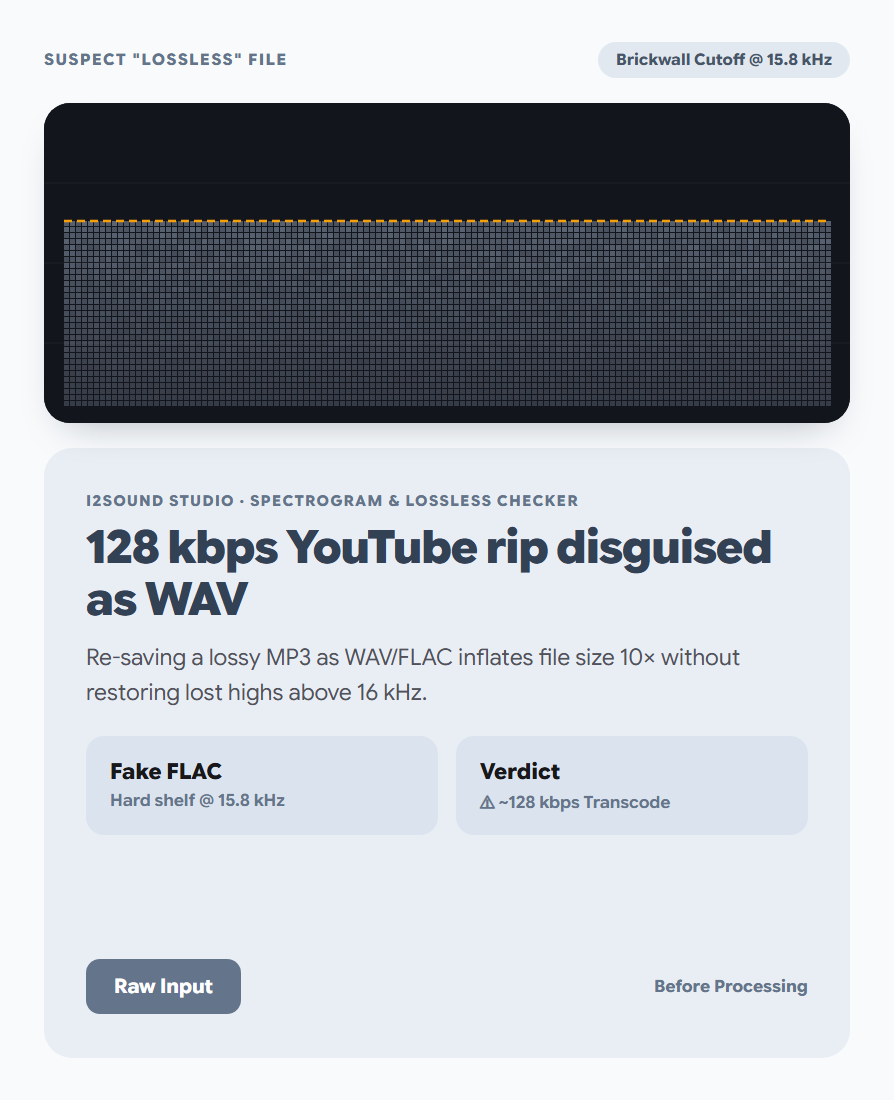
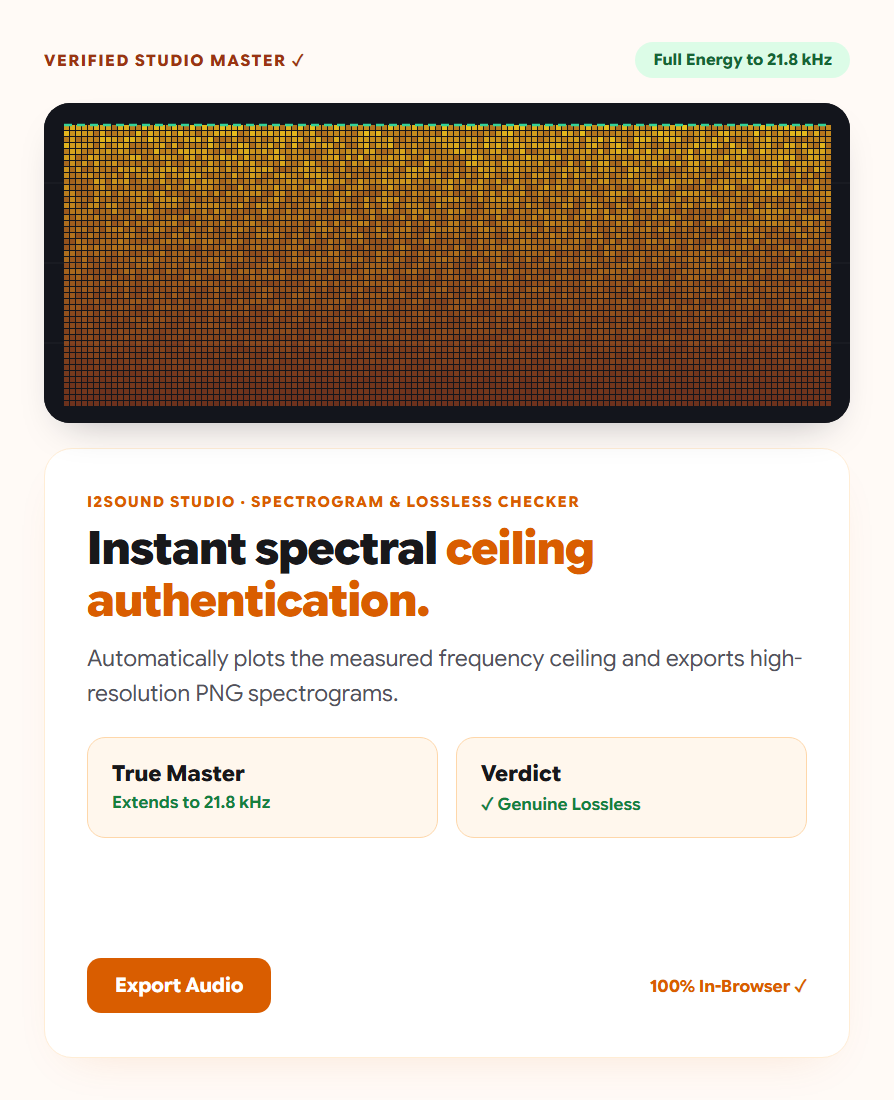

Open Spectrogram & Lossless Checker whenever you need fast, studio-accurate results directly in your browser without uploading private files. Ever wondered if a 'Lossless FLAC' or '320 kbps MP3' download is actually a re-encoded 128 kbps YouTube rip? Spectrogram Viewer scans high-frequency energy shelves up to Nyquist and plots the exact spectral ceiling.
Open your audio or video locally
Click Choose Audio or Video in Spectrogram & Lossless Checker (or drag and drop FLAC, WAV, MP3, M4A, AAC, OGG, OPUS, or Video Soundtrack) to render an interactive Retina waveform directly in local browser memory—or click Try Studio Demo to test immediately.
Press Spacebar to start playback and use the Waveform / Spectrogram / Live FFT view tabs or mouse-wheel zoom (up to 40×) to inspect exact transients and noise floors.
Studio tip: Lossy encoders apply steep low-pass shelves (~15.8 kHz for 128 kbps MP3, ~18.5 kHz for 192 kbps, ~20.0 kHz for 320 kbps), whereas genuine studio lossless masters extend smoothly toward 22 kHz.
Dial Magma Studio (Burnt Orange) & audition live
Adjust Magma Studio (Burnt Orange) and Viridis Scientific (Emerald–Gold) alongside Sonar Ocean Cyan in the studio control dock. Hold Shift while dragging any rotary dial for fine precision, or double-click any control to snap back to its calibrated default.
Press B on your keyboard (or click the FX Active (A/B) switch) while audio plays to crossfade click-free in 15 ms between your dry original and processed signal.
Verify FLAC & WAV purchases
Spot upscaled 128 kbps Club/YouTube rips before playing them on large sound systems.
Inspect harmonics & formants
Switch between Magma, Viridis, Cyan, and Monochrome Print palettes and save crisp PNGs.
Locate hums, clicks & whistles
See continuous horizontal hum lines or vertical click spikes immediately.
Verify levels and export cleanly
Confirm headroom on the stereo output meter so peaks remain safely below 0.0 dBFS. Select your target format—such as MP3 · 320 kbps, WAV · 24-bit Studio, or FLAC · 16-bit Lossless—and click Export Audio.
Need multi-step mastering or multi-track stem layering afterward? Click Continue in (or Pro Studio in the upper module bar) to pass your processed audio straight to the next studio tool without re-uploading.
Verified Studio Recipe — Spectrogram & Lossless Checker
Input Support : FLAC, WAV, MP3, M4A, AAC, OGG, OPUS, or Video Soundtrack
Key Controls  : Magma Studio (Burnt Orange)  |  Viridis Scientific (Emerald–Gold)  |  Sonar Ocean Cyan  |  Monochrome Print  |  Spectrogram Color Map
Before -> Now : Brickwall Cutoff @ 15.8 kHz  -->  Full Energy to 21.8 kHz
Output Export : High-Res Spectrogram .PNG + Lossless Bandwidth Verdict (100% Client-Side Browser DSP)Common questions
Does a <16 kHz cutoff always mean a file is fake lossless?
On modern pop/electronic masters with cymbals and vocals, a razor-flat horizontal shelf at 15.8–16.0 kHz strongly indicates a ~128 kbps lossy transcode—though solo bass, muted lo-fi synths, or vintage tape naturally have little energy above 15 kHz.
Which spectrogram palette makes faint high-frequency details easiest to read?
Magma and Viridis provide perceptual luminance ramps from dark to bright gold, making quiet −70 dB noise floors and encoder cutoffs stand out clearly.
Can I save the spectrogram chart as an image?
Yes. Click Download Spectrogram Image (.PNG) right below the analyzer banner to save a crisp PNG snapshot.
Try Spectrogram & Lossless Checker in your browser
Inspect high-frequency brickwall shelves up to Nyquist in Magma or Viridis palettes.