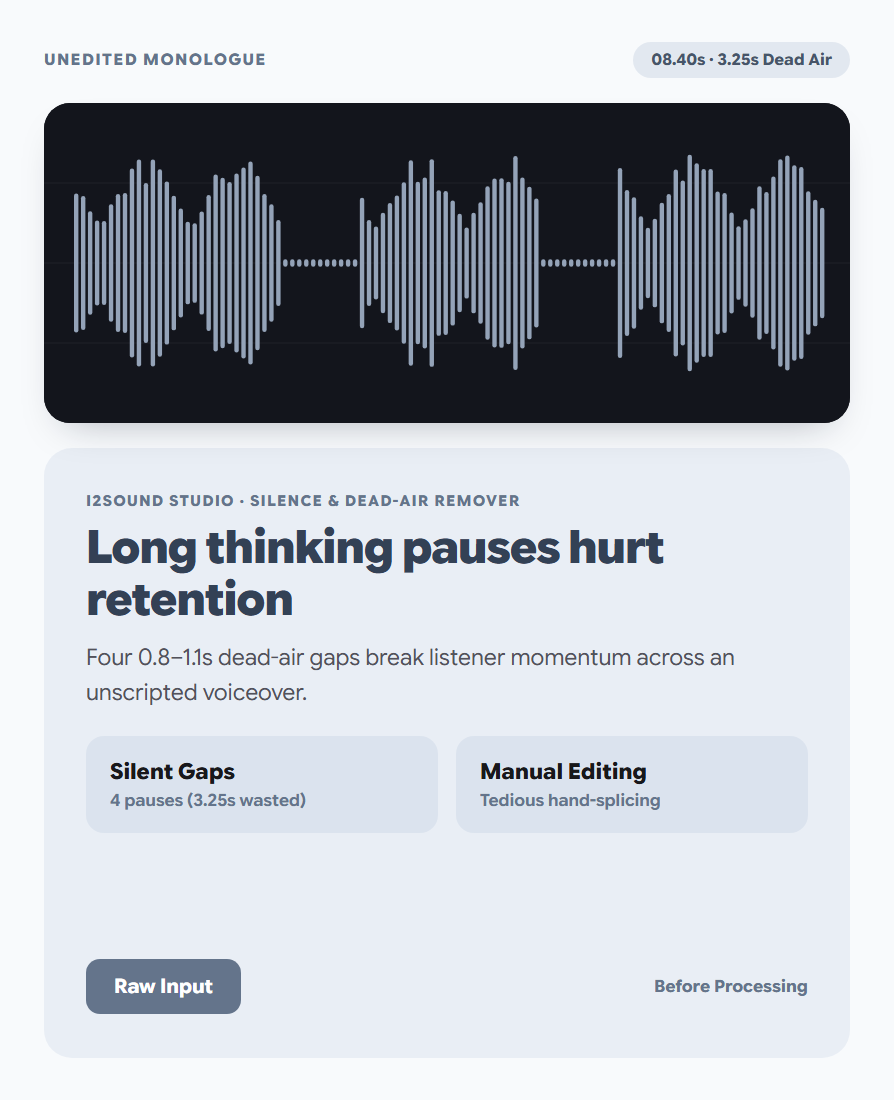
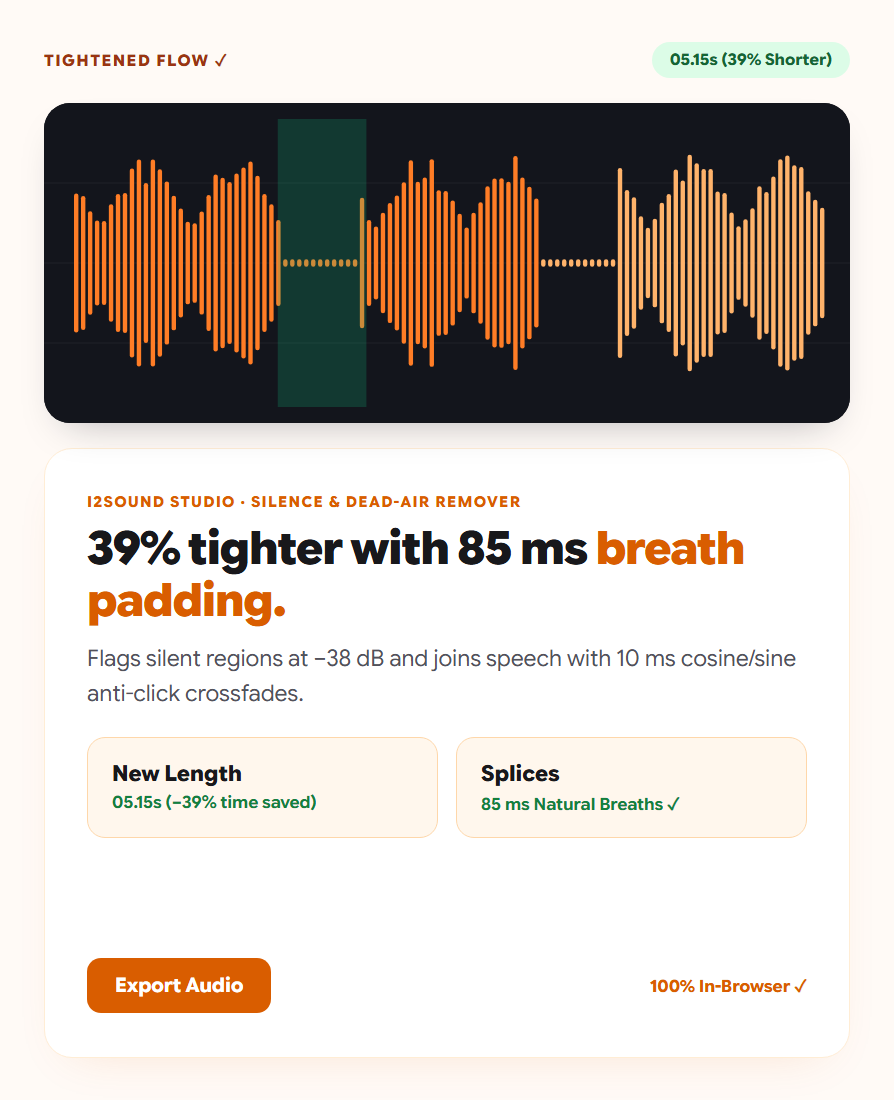

Open Silence & Dead-Air Remover whenever you need fast, studio-accurate results directly in your browser without uploading private files. Long pauses, 'um' hesitations, and dead air tank listener retention. Silence Remover scans your recording in 20 ms windows, highlights every silent gap in red right on the Retina waveform, displays exact time saved, and splices speech cleanly.
Open your audio or video locally
Click Choose Audio or Video in Silence & Dead-Air Remover (or drag and drop Podcasts, Interviews, Voiceovers, & Lecture Recordings) to render an interactive Retina waveform directly in local browser memory—or click Try Studio Demo to test immediately.
Press Spacebar to start playback and use the Waveform / Spectrogram / Live FFT view tabs or mouse-wheel zoom (up to 40×) to inspect exact transients and noise floors.
Studio tip: Keep 60–100 ms of Breath Padding so tightened conversations still sound human and relaxed rather than robotic.
Dial Snappy Jump-Cut Voiceover (−34 dB) & audition live
Adjust Snappy Jump-Cut Voiceover (−34 dB) and Play Tightened Output Live alongside Silence Threshold in the studio control dock. Hold Shift while dragging any rotary dial for fine precision, or double-click any control to snap back to its calibrated default.
Press B on your keyboard (or click the FX Active (A/B) switch) while audio plays to crossfade click-free in 15 ms between your dry original and processed signal.
Tighten unscripted monologues
Strip thinking pauses while preserving natural sentence cadence.
Snappy YouTube & TikTok pacing
Use the Snappy Jump-Cut preset (200 ms threshold, 40 ms pad) for high-retention narration.
Remove whiteboard & slide dead air
Cut multi-second silent gaps from 90-minute class recordings automatically.
Verify levels and export cleanly
Confirm headroom on the stereo output meter so peaks remain safely below 0.0 dBFS. Select your target format—such as MP3 · 320 kbps, WAV · 24-bit Studio, or FLAC · 16-bit Lossless—and click Export Audio.
Need multi-step mastering or multi-track stem layering afterward? Click Continue in (or Pro Studio in the upper module bar) to pass your processed audio straight to the next studio tool without re-uploading.
Verified Studio Recipe — Silence & Dead-Air Remover
Input Support : Podcasts, Interviews, Voiceovers, & Lecture Recordings
Key Controls  : Snappy Jump-Cut Voiceover (−34 dB)  |  Play Tightened Output Live  |  Silence Threshold  |  Minimum Pause Length  |  Keep Breath Padding
Before -> Now : 08.40s · 3.25s Dead Air  -->  05.15s (39% Shorter)
Output Export : Tightened Click-Free MP3, WAV, or Lossless FLAC (100% Client-Side Browser DSP)Common questions
Can I hear the tightened result before exporting?
Yes! Toggle Stage View Mode to Show Tightened Result (or click the Play Tightened Output Live preset) to audition the exact spliced audio right on the stage.
What Silence Threshold dB works best for most recordings?
−38 dB to −35 dB catches quiet room pauses cleanly on normal mics; raise toward −28 dB if your background room is somewhat noisy.
Why shouldn't Minimum Pause Length be set too short?
Setting Minimum Pause below 150 ms can clip natural consonant stops between words; 250–350 ms removes real hesitations while keeping speech natural.
Try Silence & Dead-Air Remover in your browser
Highlight silent gaps in 20 ms windows, keep natural breath spacing, and splice click-free.